

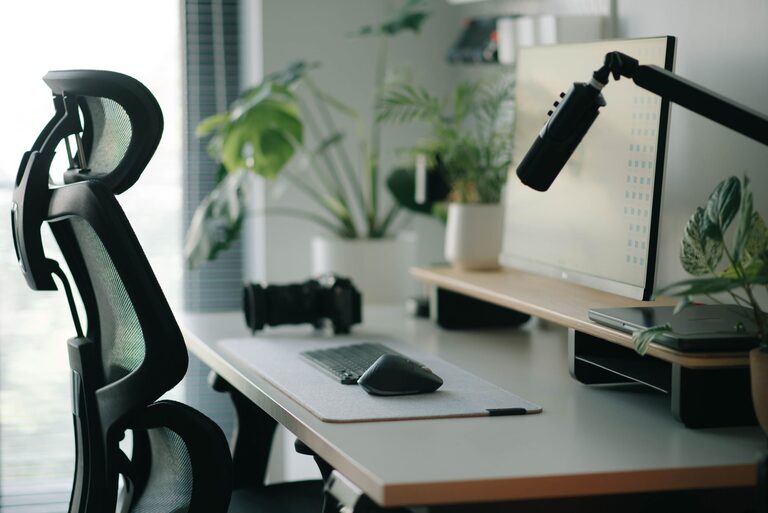
Creating a desk setup that promotes both focus and comfort can transform your work experience, whether you’re at home or in an office. A thoughtfully arranged workspace helps reduce distractions, prevent discomfort, and improve productivity throughout the day. Here are practical tips to help you design a desk setup that supports your well-being and efficiency.
Choose the Right Desk and Chair
Desk Size and Shape
Start by selecting a desk that fits your space and work style. You want enough surface area to hold your essentials without clutter. Consider an L-shaped desk if you need space for multiple monitors or paperwork. If space is tight, a compact desk with built-in storage can help keep things organized.
Ergonomic Chair
Invest in a comfortable chair with adjustable height, lumbar support, and armrests. Proper support is crucial to avoid back and neck strain during long hours of sitting. Make sure your feet rest flat on the floor or a footrest, and your knees are at a 90-degree angle.
Optimize Monitor Placement
Eye Level Alignment
Position your monitor so the top of the screen is at or slightly below eye level. This reduces neck strain by keeping your head in a neutral position. Use monitor stands or adjustable arms if needed.
Distance from Eyes
Keep your monitor about an arm’s length away, roughly 20 to 30 inches, to minimize eye fatigue. Adjust brightness and contrast settings for comfortable viewing.
Organize Your Workspace
Declutter Regularly
Keep only essential items on your desk to avoid distractions. Store extra supplies, documents, and personal items in drawers, shelves, or organizers.
Use Desk Accessories
Desk organizers, cable management solutions, and trays help keep your workspace clean and tidy. Label containers for easy access and to maintain order over time.
Lighting Matters
Natural Light
Whenever possible, position your desk near a window to take advantage of natural light. Natural light boosts mood and focus but avoid direct glare on your screen.
Task Lighting
Add an adjustable desk lamp with warm light for focused tasks, especially during evening hours. Proper lighting reduces eye strain and improves concentration.
Personalize Your Space
Add Plants
Small plants can improve air quality and provide a calming presence. Choose low-maintenance options like succulents or pothos.
Inspirational Items
A few personal items, like photos or motivational quotes, can make your workspace inviting without causing clutter.
Mind Your Posture and Breaks
Sit Smart
Keep your back straight and shoulders relaxed. Avoid leaning forward or slouching. Use a lumbar cushion if your chair lacks support.
Take Breaks
Stand, stretch, or walk for a few minutes every hour. Breaks refresh your mind and reduce physical strain.
Keep Essential Tools Within Reach
Arrange frequently used items such as pens, notebooks, and chargers within easy reach. This prevents repetitive stretching or awkward movements that can interrupt your workflow.
Cable Management
Untidy cords can not only look messy but also cause frustration. Use cable clips, sleeves, or boxes to group and hide cables neatly. This reduces the risk of accidental unplugging and creates a cleaner look.
Incorporate Technology Mindfully
Use wireless devices like keyboards and mice to reduce cable clutter. Consider noise-canceling headphones if you work in a noisy environment to improve concentration.
Conclusion
A well-planned desk setup is a key factor in maintaining focus and comfort during work. By investing time in choosing ergonomic furniture, organizing your tools, optimizing lighting, and caring for your posture, you create a space that supports productivity and well-being. Start with small adjustments and customize your setup to fit your unique needs. Your body and mind will thank you!